Generate a SSL Certificate and Signing Request
To install SSL for any domain, it must have dedicated IP address. So, if you don’t have a dedicated IP address for that same, you must assign it.
To generate a SSL certificate signing request, follow the steps below:
- Login to your WHM
- Make sure the domain has dedicated IP address.
- Click Generate a SSL Certificate and Signing Request from SSL/TSL section
- Fill up the form with accurate information. Use strong password. You may auto generate it clicking Generate Password button.
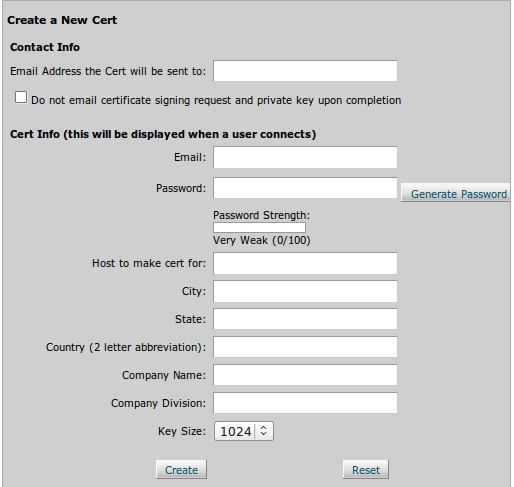
- Click the Create button.
- Your certification and signing request will be created. The certificate signing request will be needed when you want it to be signed by a Certificate Authority (CA).
No related posts.